
Google TV vs Android TV vs Smart TV: Which One Should You Choose?
Choosing between Google TV vs Android TV involves more than comparing screen size and resolution. The software running on the TV also determines how easily you can stream content, install apps, connect devices, and navigate the interface. For Kenyan buyers, understanding the difference between Google TV, Android TV, and other smart TV platforms can make the buying process much easier. While these terms are sometimes used interchangeably, they are not exactly the same.
What Is a Smart TV?
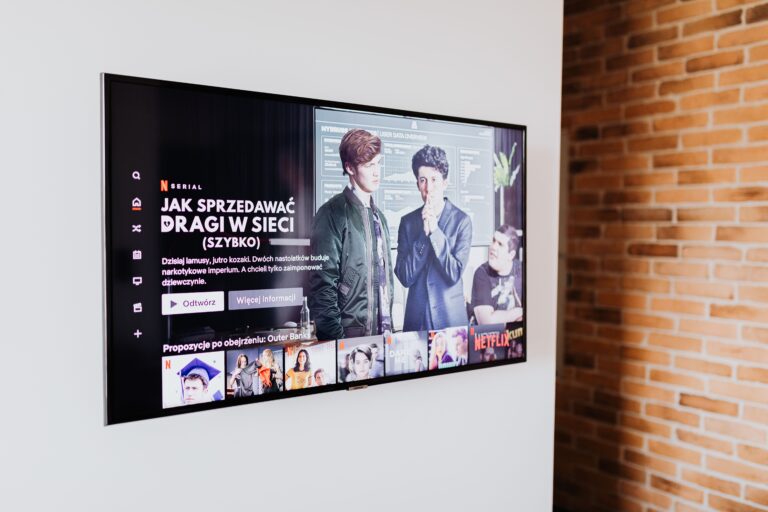
A Smart TV is any television that connects to the internet and provides built-in smart features. Therefore, the term “Smart TV” describes a category rather than one specific operating system. Depending on the manufacturer, a Smart TV may use Google TV, Android TV, Samsung’s Tizen, LG’s webOS, or another platform. A Google TV vs Android TV comparison is therefore more specific, while “Smart TV” covers many different systems. Smart TVs generally allow you to:
- Connect to Wi-Fi.
- Stream online content.
- Install or access applications.
- Use screen mirroring and casting.
- Connect Bluetooth accessories.
- Browse smart menus and settings.
- Access voice-control features on supported models.
What Is Android TV?
Android TV is a smart television platform developed by Google and based on the Android ecosystem. It has been used on televisions from several manufacturers and provides access to apps and entertainment features. Consequently, Android TV can be a familiar choice for people who already use Android smartphones and Google services. Depending on the TV model, Android TV can offer:
- Google Play Store access.
- YouTube.
- Google Assistant.
- Chromecast functionality on supported models.
- Streaming applications.
- Voice search.
- Google account integration.
However, manufacturers can customise the experience, so Android TV performance may differ between television models.
What Is Google TV?
Google TV is Google’s newer smart TV experience that focuses heavily on content discovery and personalised recommendations. Rather than simply presenting individual applications, Google TV can bring content from supported streaming services together on its home screen. Therefore, a Google TV vs Android TV comparison often comes down to the user interface and content-discovery experience, since Google TV builds on the Android TV platform. Google TV can provide:
- Personalised content recommendations.
- Google Assistant and voice search.
- Google Play app support.
- Chromecast functionality.
- Multiple user profiles on supported devices.
- Integration with Google services.
- A content-focused home screen.
Google TV vs Android TV: Main Difference
Although Google TV and Android TV are closely related, their interfaces and user experiences are different.
| Feature | Google TV | Android TV |
|---|---|---|
| Platform | Built on Android TV technology | Google’s Android-based TV platform |
| Interface | Content-focused | App-focused |
| Recommendations | Strong emphasis on personalised recommendations | More focused on apps and channels |
| Google Assistant | Supported | Supported |
| Google Play apps | Supported | Supported |
| Casting | Available on supported models | Available on supported models |
| User profiles | Supported on compatible devices | More limited depending on version |
| Best for | Content discovery and modern interface | Familiar Android-style smart TV experience |
Therefore, when considering Google TV vs Android TV, neither is automatically better for everyone. Your preferred interface and features should guide your decision.
Google TV vs Android TV: Which Has Better Apps?
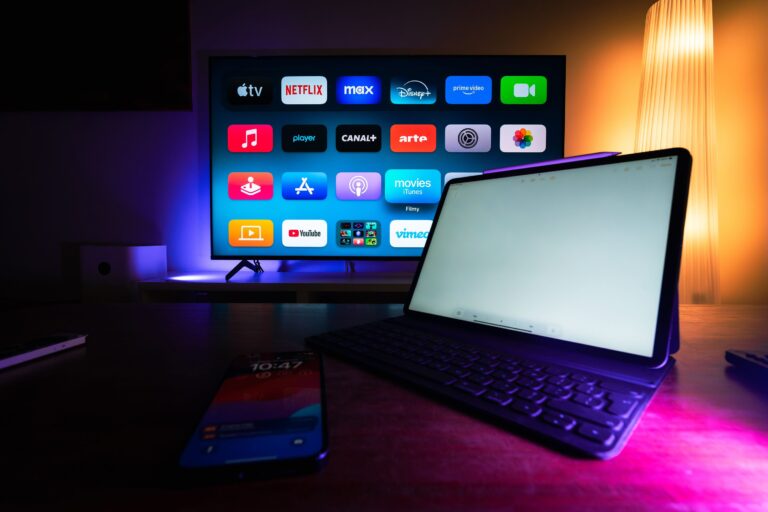
Both platforms can provide access to a wide range of applications. However, the exact selection depends on the TV model, region, software version, and service provider. Popular services may include:
- Netflix
- YouTube
- Showmax
- Prime Video
- Disney+
- Spotify
- Other compatible streaming applications
Consequently, when comparing Google TV vs Android TV, check the exact model rather than assuming every television offers identical app support. This is particularly important for Kenyan buyers because availability can vary between models and markets.
Google TV vs Android TV: Which Is Easier to Use?
Google TV generally focuses on bringing content from different services into one personalised interface. As a result, it can be convenient if you frequently switch between streaming platforms. Android TV, meanwhile, traditionally places greater emphasis on applications and channels. Therefore, users who prefer a straightforward app-based interface may find it familiar. Ultimately, ease of use depends on personal preference. If you want:
- Content recommendations: Google TV may suit you better.
- An app-focused interface: Android TV can be a good option.
- Google services: Both platforms can provide strong integration.
- Simple navigation: Compare the actual interface on the TV before buying.
Google TV vs Android TV for Streaming
Streaming is one of the biggest reasons people purchase Smart TVs. Therefore, the operating system should support the services you use regularly. Google TV can make streaming convenient by displaying recommendations across supported services. Meanwhile, Android TV provides access to compatible streaming applications through its app ecosystem. When considering Google TV vs Android TV for streaming, look beyond the number of available apps. The overall software experience can affect how convenient the TV is to use.
- Available streaming apps: Confirm that Netflix, YouTube, Showmax, Prime Video, and other preferred services are supported.
- App performance: Check whether apps open quickly and run smoothly without frequent lag.
- Internet connectivity: Reliable Wi-Fi or Ethernet support helps provide smoother streaming.
- Voice search: Voice controls can make finding movies, shows, and apps more convenient.
- Content recommendations: Google TV can make it easier to discover content across supported services.
- Software updates: Regular updates can improve performance, security, and app compatibility.
Google TV vs Android TV for Gaming
The operating system is important for smart features, but gaming performance also depends heavily on the TV hardware. Therefore, gamers should look beyond the platform and check the television’s specifications. Important features include:
-
- 120Hz refresh rate: Provides smoother motion during fast-paced games.
- HDMI 2.1: Supports higher bandwidth for advanced gaming features and modern consoles.
- VRR: Helps reduce screen tearing and keeps gameplay smoother.
- ALLM: Automatically switches the TV to a low-latency mode when gaming starts.
- Low input lag: Reduces the delay between your controller actions and what appears on screen.
- Gaming modes: Optimise picture settings and responsiveness for a better gaming experience.
A Google TV vs Android TV decision should therefore not be based solely on gaming. Instead, compare the actual hardware specifications of each television. For example, a Google TV with a 60Hz panel may be less suitable for serious gaming than an Android TV with a 120Hz panel and better gaming connectivity.
Google TV vs Android TV: Which Offers Better Casting?
Both Google TV and many Android TV models support casting from compatible smartphones and devices. This can be useful when you want to display:
- YouTube videos.
- Photos.
- Music.
- Presentations.
- Compatible apps.
- Other supported content.
Consequently, Google Cast functionality can be particularly convenient for households that regularly use Android phones and other Google-compatible devices.However, always confirm that the specific TV model includes the casting features you need.
What About Other Smart TV Platforms?
Not every Smart TV uses Google software. Samsung, LG, and other manufacturers use their own platforms on selected televisions. For example, Samsung uses Tizen, while LG uses webOS. These platforms can provide their own app stores, interfaces, voice features, and connected-device functions. Therefore, Google TV vs Android TV is only one part of the Smart TV comparison.
Other Smart TV Platforms May Be Attractive If You:
Other platforms, such as Samsung’s Tizen and LG’s webOS, can be a good choice depending on your preferences and existing devices.
- Own devices from the same brand: Integration can make it easier to connect and control compatible devices.
- Prefer a particular interface: Choose a platform whose menus and navigation feel comfortable to use.
- Want specific manufacturer features: Some brands offer unique picture, sound, or smart-home features.
- Prefer a certain remote: Remote design and controls can make everyday navigation more convenient.
- Need specific applications: Check that the platform supports the apps and services you regularly use.
Google TV vs Android TV vs Other Smart TVs
| Feature | Google TV | Android TV | Other Smart TV Platforms |
|---|---|---|---|
| User interface | Content-focused | App-focused | Varies by manufacturer |
| Google services | Strong integration | Strong integration | Varies |
| Apps | Wide selection | Wide selection | Depends on platform |
| Casting | Supported | Supported on compatible models | Varies |
| Voice control | Google Assistant | Google Assistant | Depends on platform |
| Content recommendations | Strong | Available but less central | Varies |
| Best for | Streaming and discovery | Android ecosystem users | Brand-specific preferences |
Google TV vs Android TV: Which Is Better for Kenyan Buyers?
For Kenyan buyers, the best option depends on what you expect from your television.Google TV can be particularly attractive if you want an updated interface, personalised recommendations, and strong integration with Google’s ecosystem.Android TV can be suitable if you prefer an app-focused experience and want access to Google’s established television platform.
Meanwhile, other Smart TV platforms can be excellent choices if they offer the applications and features you need.Therefore, Google TV vs Android TV should be decided based on your actual usage rather than the name of the operating system alone.
Check Internet Connectivity Before Buying
Since Smart TVs depend heavily on internet services, connectivity is another important consideration. Before buying, check whether the television supports:
-
- Dual-band Wi-Fi: Supports more reliable wireless connections where available.
- Ethernet: Provides a stable wired internet connection for streaming.
- Bluetooth: Makes it easier to connect wireless headphones, speakers, and controllers.
- Screen casting: Allows you to mirror or cast compatible content from your smartphone.
- Stable streaming apps: Ensure your preferred streaming services run smoothly on the TV.
Check Software Updates
Software updates can improve security, fix bugs, add features, and maintain application compatibility.Consequently, when comparing Google TV vs Android TV, consider the manufacturer’s approach to software support.Ask about:
- Software update availability.
- Application compatibility.
- System performance.
- Manufacturer support.
- Update frequency where information is available.
Consider the TV’s Processor and Storage
Smart TV performance is not determined by the operating system alone. The processor and available memory can affect how quickly applications open and how smoothly menus respond.Therefore, if you want a fast Smart TV, compare hardware specifications as well. A TV’s internal hardware affects how quickly it responds, opens apps, and handles everyday tasks. Therefore, consider:
- Responsive processor: Helps the TV run apps and menus smoothly.
- Sufficient RAM: Supports smoother multitasking and reduces lag.
- Adequate storage: Provides enough space for apps and system updates.
- Smooth app loading: Apps should open quickly without unnecessary delays.
- Fast menu navigation: A responsive interface makes everyday use more convenient.
Common Mistakes to Avoid
Choosing a Smart TV based only on its operating system can lead to disappointment. Instead, compare the software alongside the TV’s hardware, features, and support.
- Assuming all Google TVs are the same: Different models can have different processors, displays, and features.
- Assuming all Android TVs perform equally: Performance depends on the TV’s hardware and software version.
- Ignoring streaming apps: Confirm that your preferred services are supported before buying.
- Forgetting software support: Check whether the manufacturer provides updates and ongoing app compatibility.
- Focusing only on the operating system: Consider resolution, display quality, sound, and connectivity as well.
- Ignoring screen quality: A good smart platform cannot compensate for poor picture quality.
- Overlooking sound and connectivity: Check speakers, HDMI, USB, Wi-Fi, and Bluetooth features.
- Forgetting warranty and support: Choose a reputable seller with reliable warranty and after-sales services.
Which Smart TV Should You Choose Today ?
The Google TV vs Android TV decision ultimately depends on how you use your television. Google TV is appealing to viewers who want personalised content discovery, a modern interface, and strong Google integration. Meanwhile, Android TV remains a capable option for users who prefer an app-focused experience and the Android ecosystem. If you are looking for quality Smart TVs in Kenya, TV Place Kenya is worth considering. Compare different models based on your preferred operating system, screen size, budget, and entertainment needs, then choose the television that offers the best combination of features, performance, and value for your home.